Your Home Page
When you first enter Whereabouts, no matter your user type, you'll land on the Home page. Here, you'll find resources and links curated just for you.
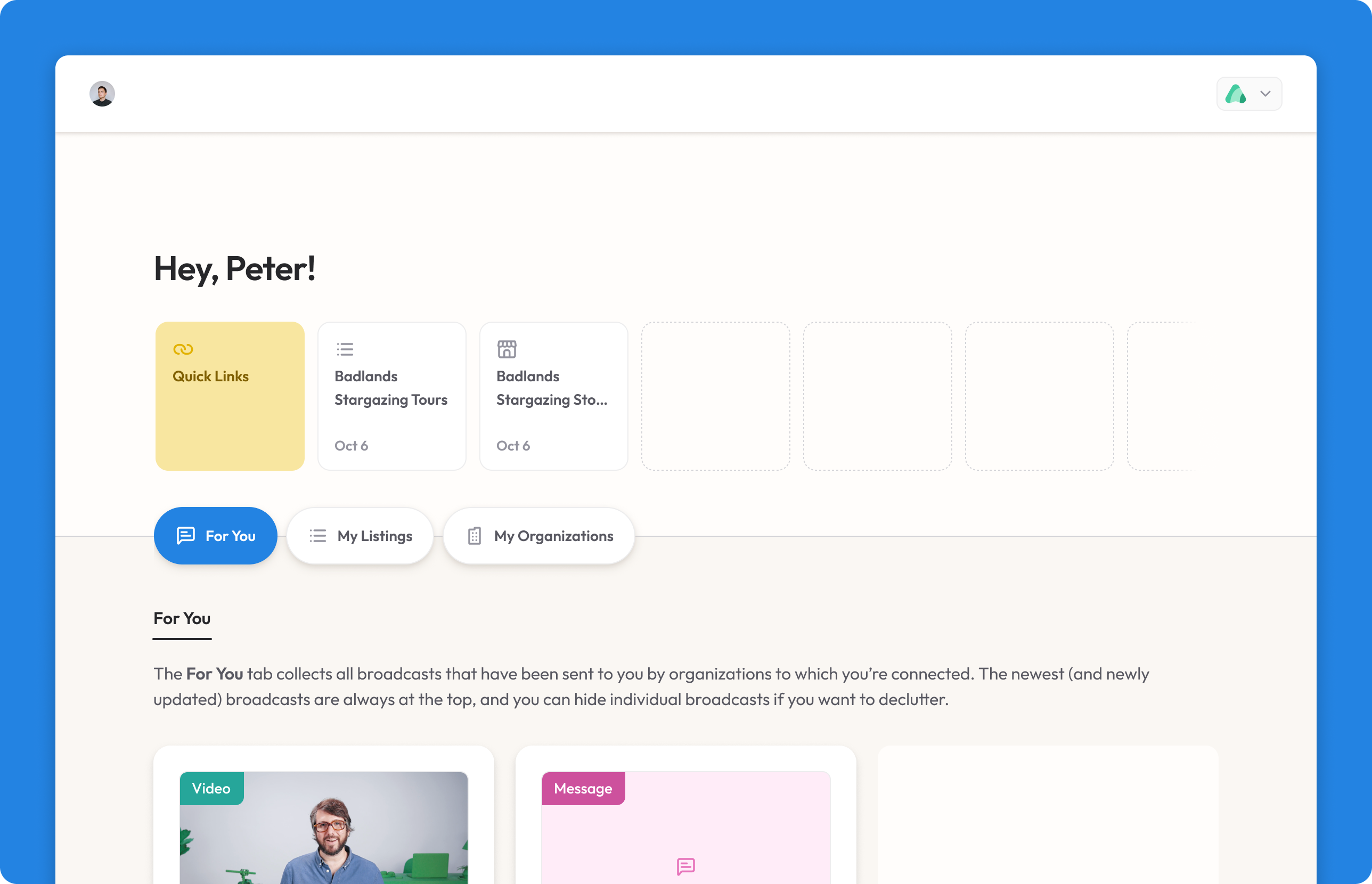
Please note that the home page and the Whereabouts menu look a little different depending on what type of user you are. We'll highlight the differences below!
Quick Links
At the top of the home page are your Quick Links. Where you first log into Whereabouts, this row will be empty, but as you start navigating your way around, we'll keep tabs on your most visited items; that way, you'll have easy access to the things you need most consistently.
Spaces
Beneath the Quick Links are tabs to help you move around the home page's spaces. The spaces you have access to depends on your user type.
For You
Access: All users
The For You space collects all of the Broadcasts that have been shared with you by the tourism organizations you're connected to. Broadcasts might contain anything and everything from messages, video links, PDFs, courses, and more.
We here at Whereabouts will also share Broadcasts with you to announce new features and product updates.
My Listings
Access: Account members
The My Listings space collects all of the business listings that you either own or have access to. As a tourism operator, you'll likely be invited to join a Whereabouts account (in some cases more than one!) and in the process claim a specific, pre-existing business listing — you'll find it here. Click edit on any listing to view and manage its profile, media, staff members and more.
Important: If you own or help manage multiple business listings, you can access them all under a single Whereabouts login. No need to create multiple logins for individual listings!
My Organizations
Access: All users
The My Organizations space collects all the organizations that you're connected to of affiliated with. As a tourism operator, these tourism organizations are likely those to which your business listings are connected. As an organization admin, these organizations are those you own or help manage; click on a card to enter an organization's Headquarters and access more advanced Whereabouts features and tools.